
Preply
Find your city.
Explore the possibilities.
Via Type A Media
The product
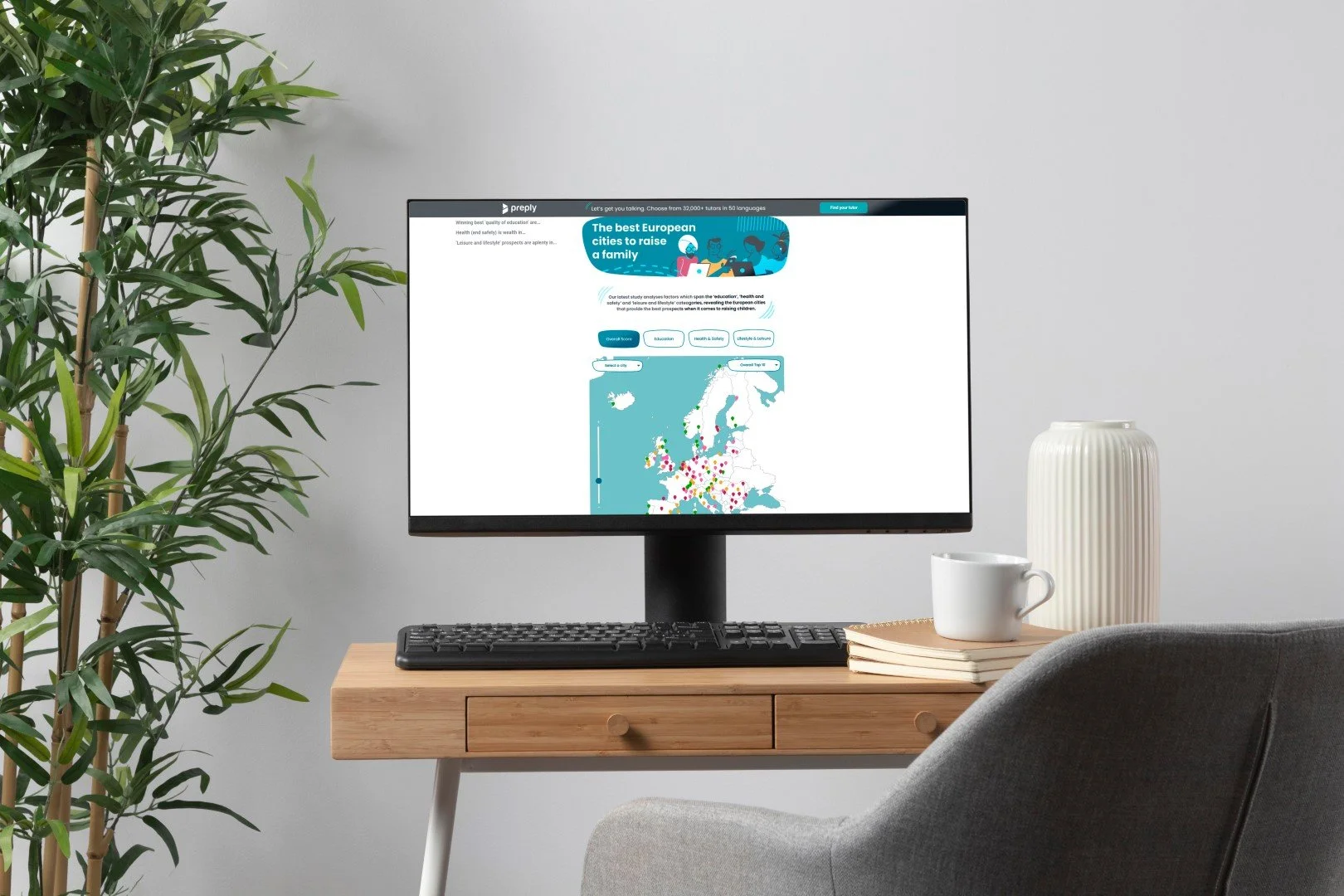
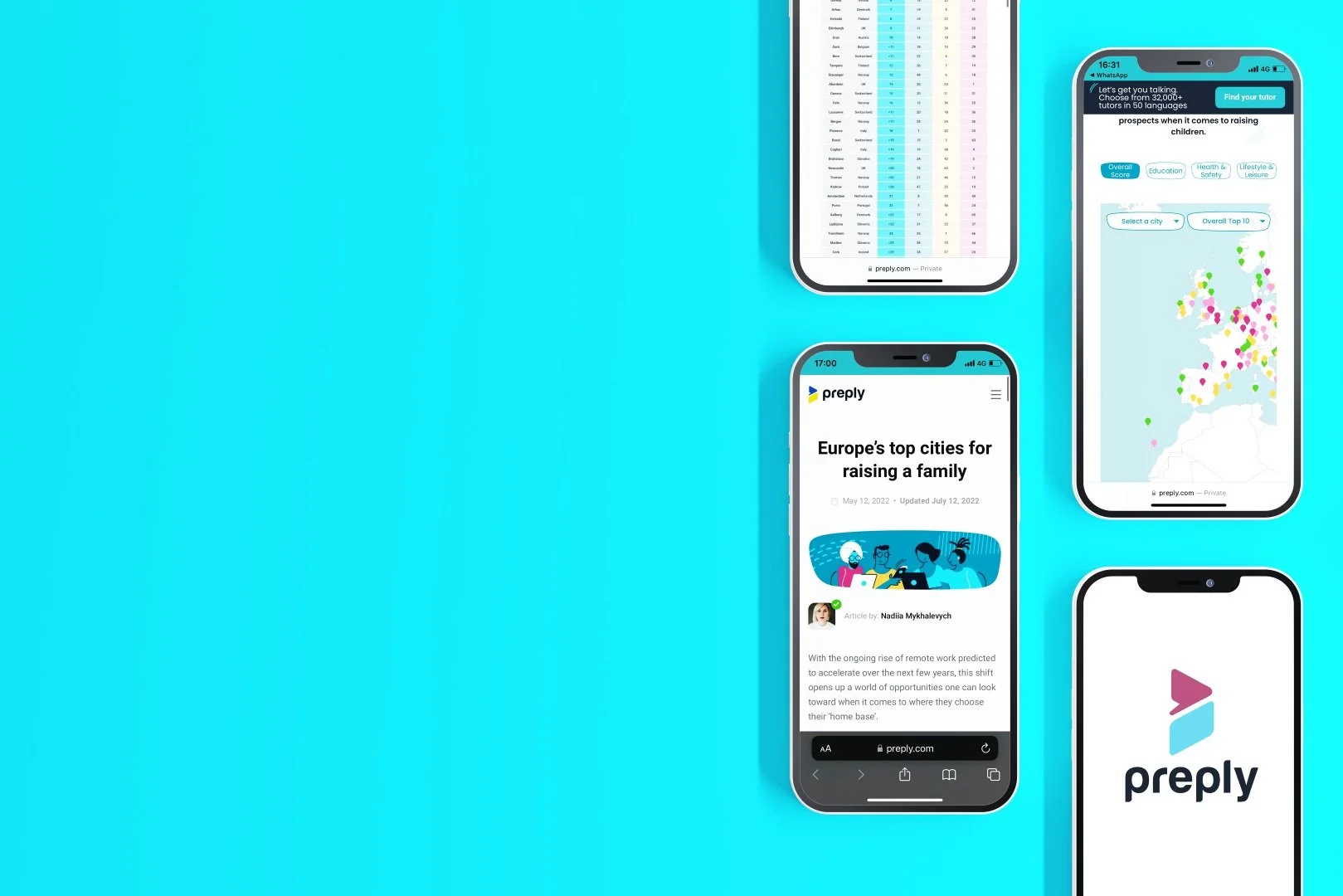
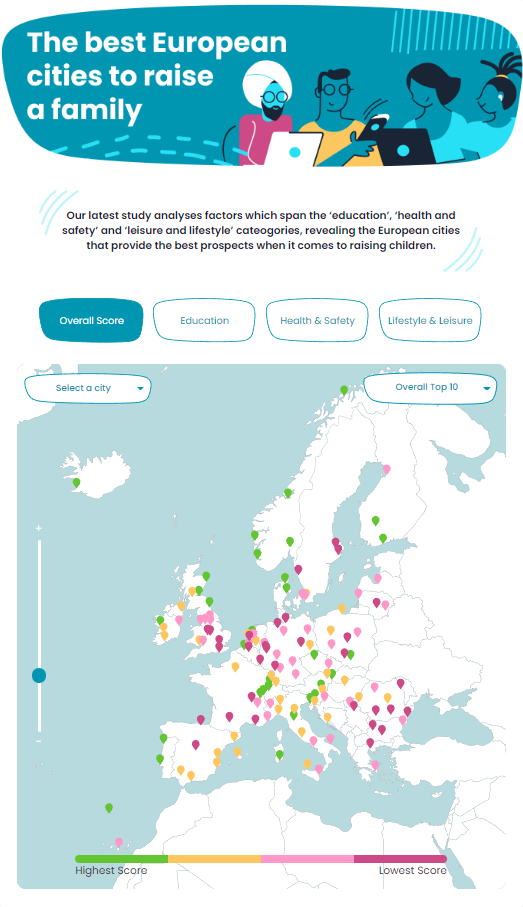
A responsive app inside a Preply blog post. It shows where in Europe is best to raise a family, across three categories: education, health and lifestyle.
The problem
Most shareable content online is flat: text or static infographics. Readers rarely interact with it, and rarely stay to explore the rest of the site.
The goal
Earn attention and clicks across Preply’s blog, bring more people to the platform, and give readers genuinely useful information.
Starting from real data
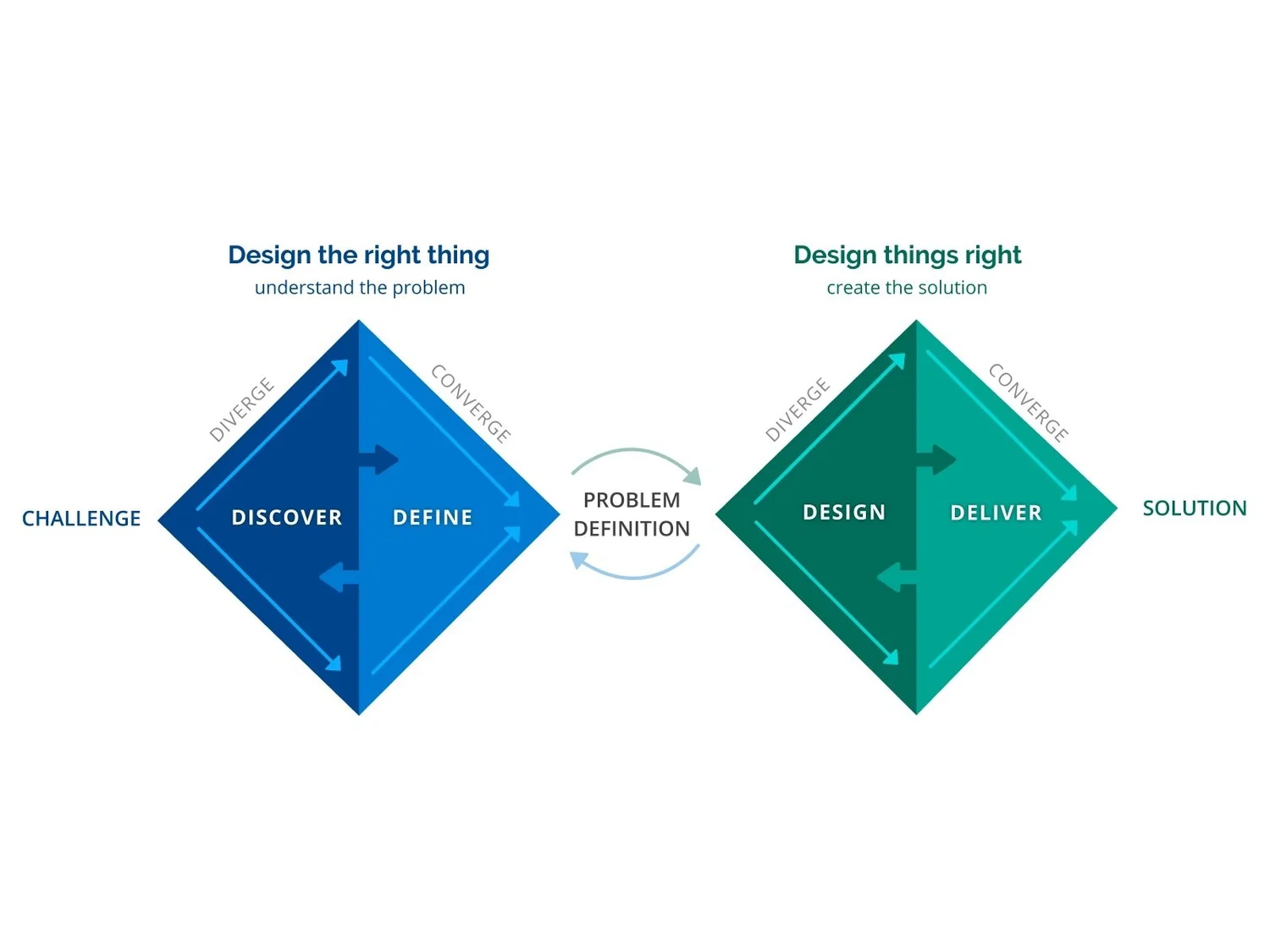
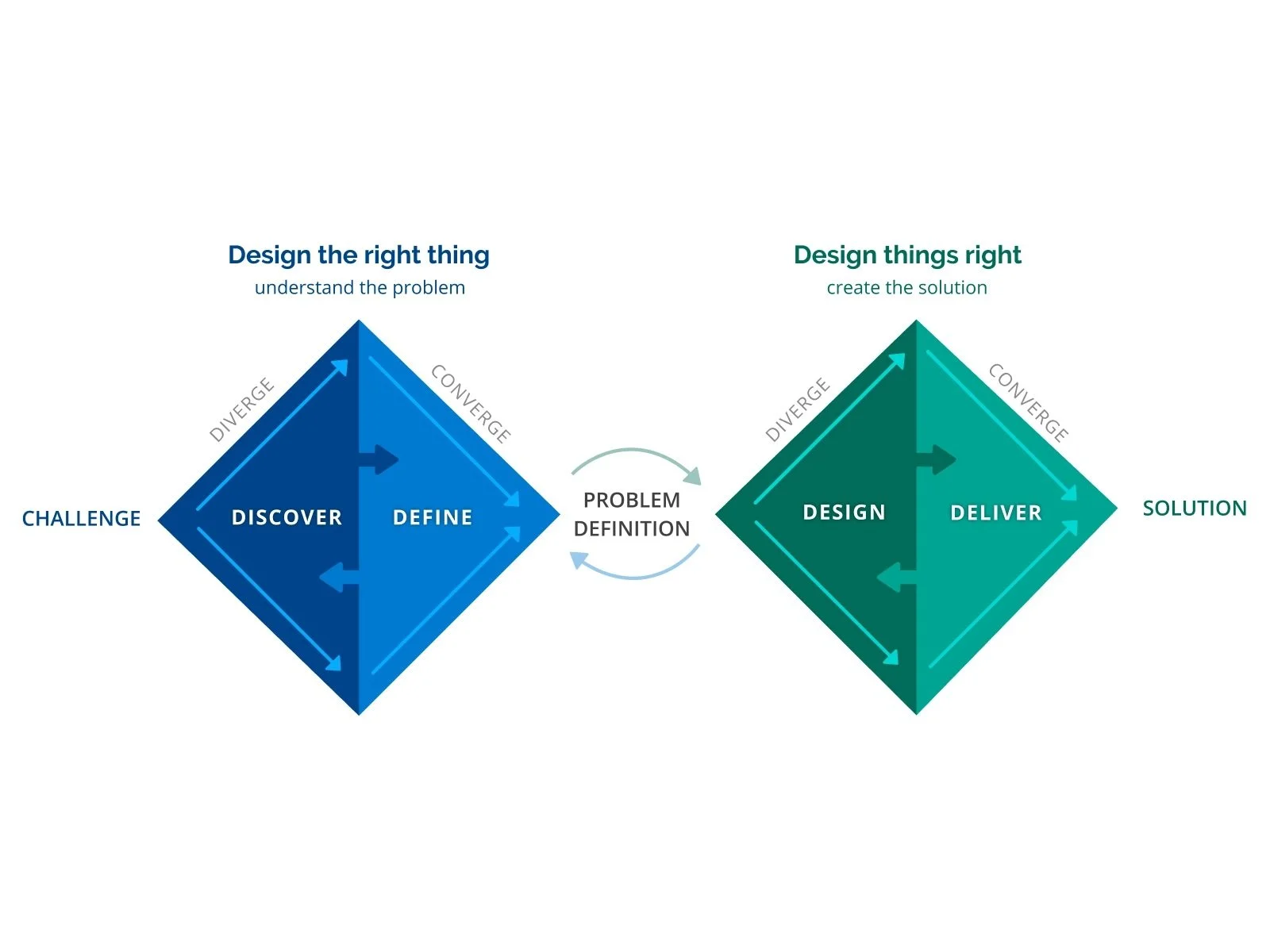
We used the Double Diamond, working with a client who already had most of the data about their users and visitors.
That let us focus on the define phase: what the client needed, which content problems to solve, and what readers used most. The answer was clear: the same stories, made interactive.
Eight crazy ideas, one map
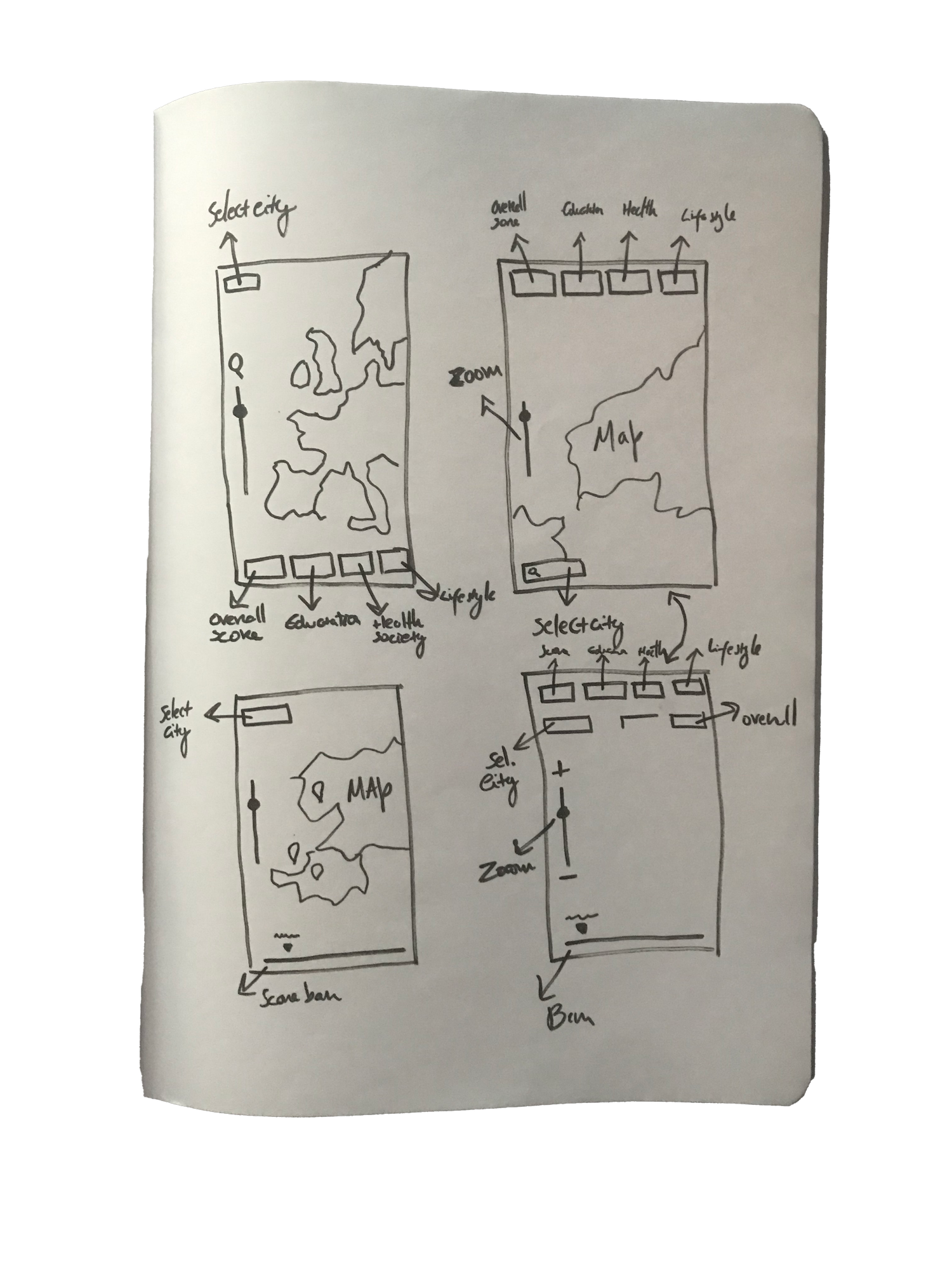
I started with Crazy Eights to push past the obvious, and quickly landed on an interactive map as the strongest idea.
A map lets readers find their own city first, then compare. It turns a ranking table into something to play with.
Wireframes that were almost final
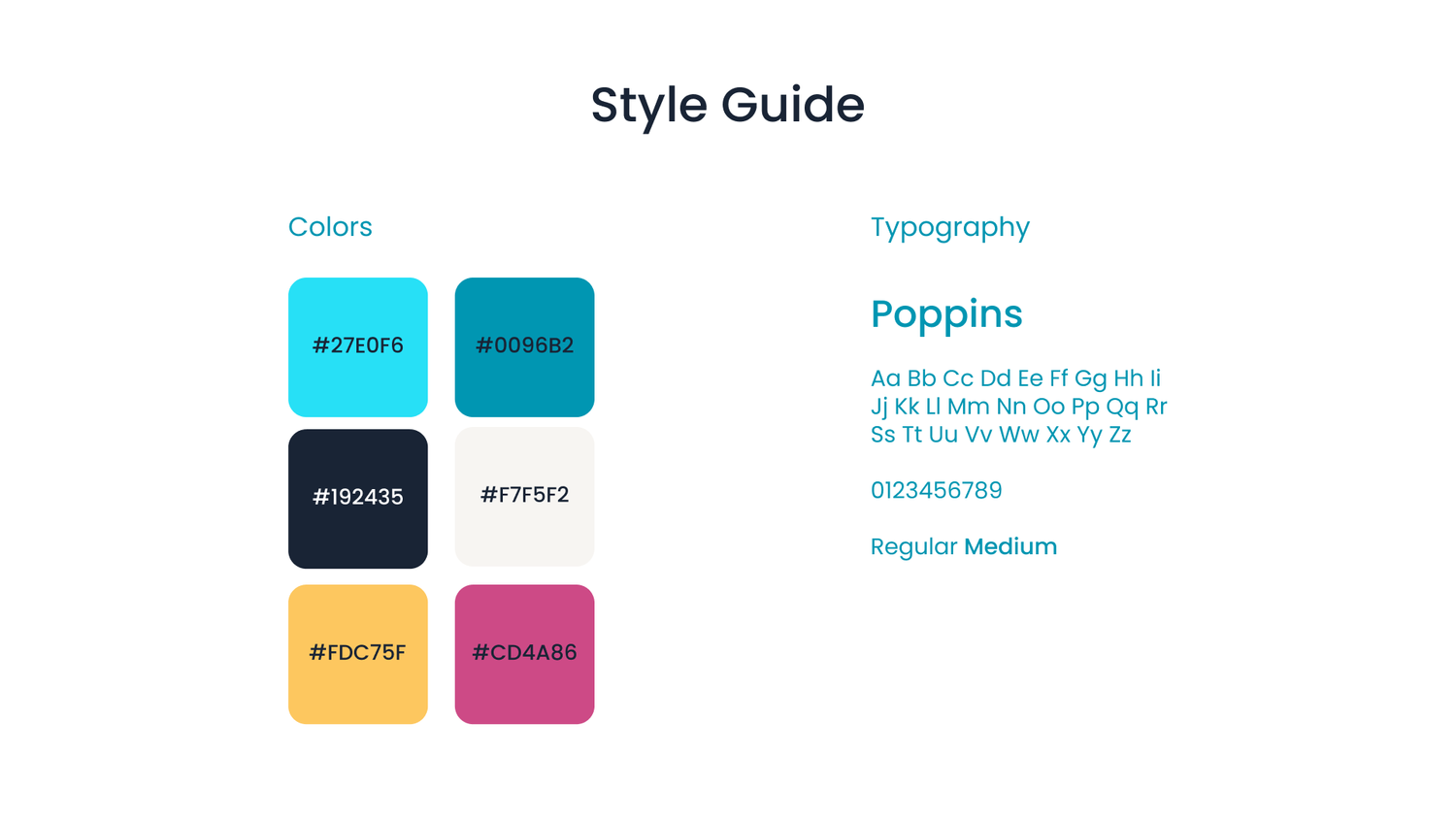
Preply’s buttons and components already existed, so I wireframed directly in their brand system and prototyped at the same time.
The client needed it fast and seamless on both mobile and desktop. The “wireframe prototype” we tested was nearly the final product. The visual direction: visual prominence, elegance and cleanliness, within Preply’s own style.
A summary for every category
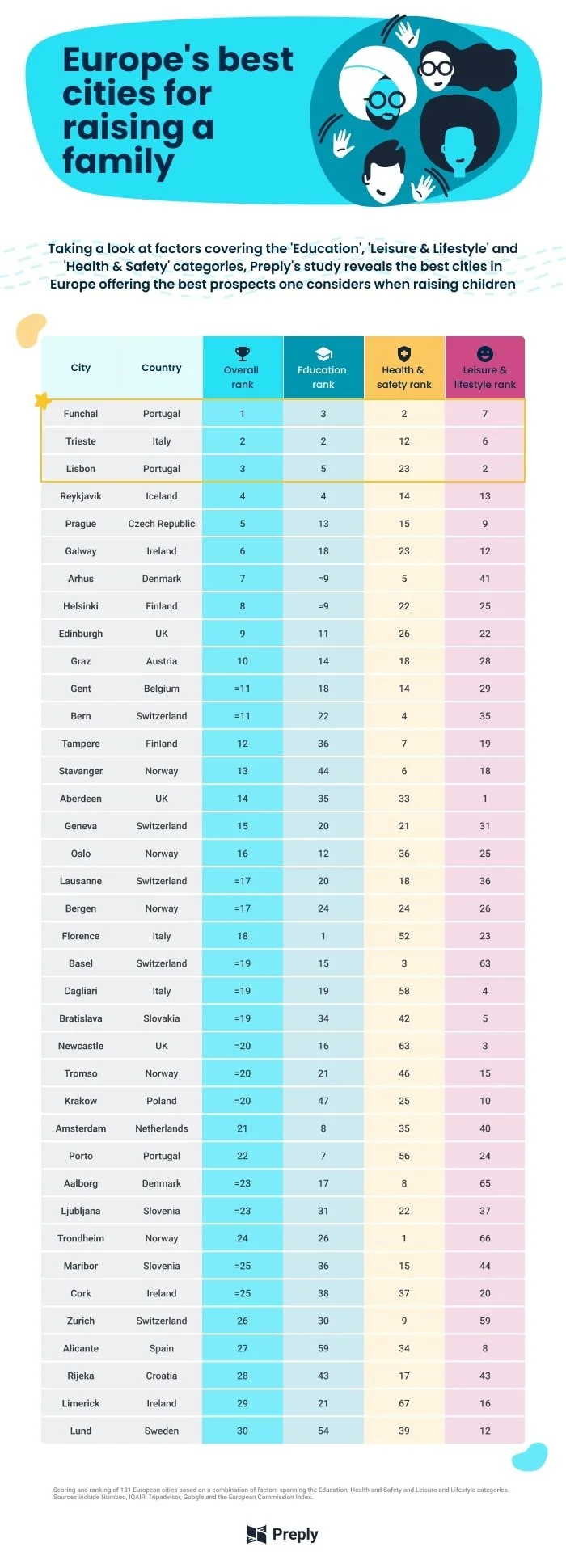
The client also wanted infographics alongside the app, to draw attention and summarise each category.
I designed an overall ranking plus one each for education, health and lifestyle, in the same visual language.
4 infographics
Overall 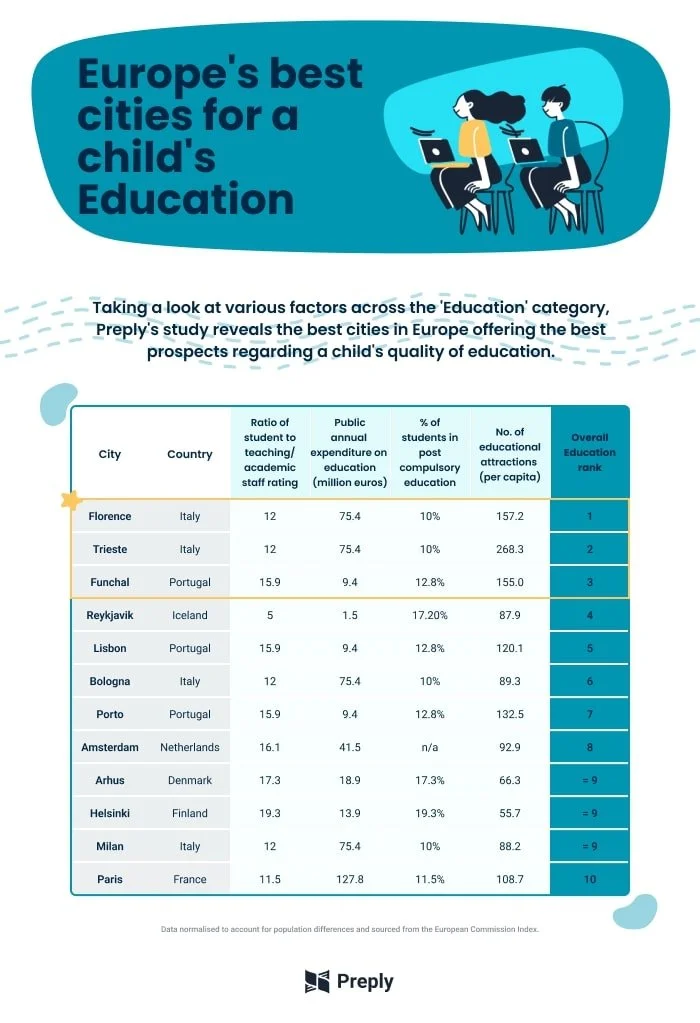
Education 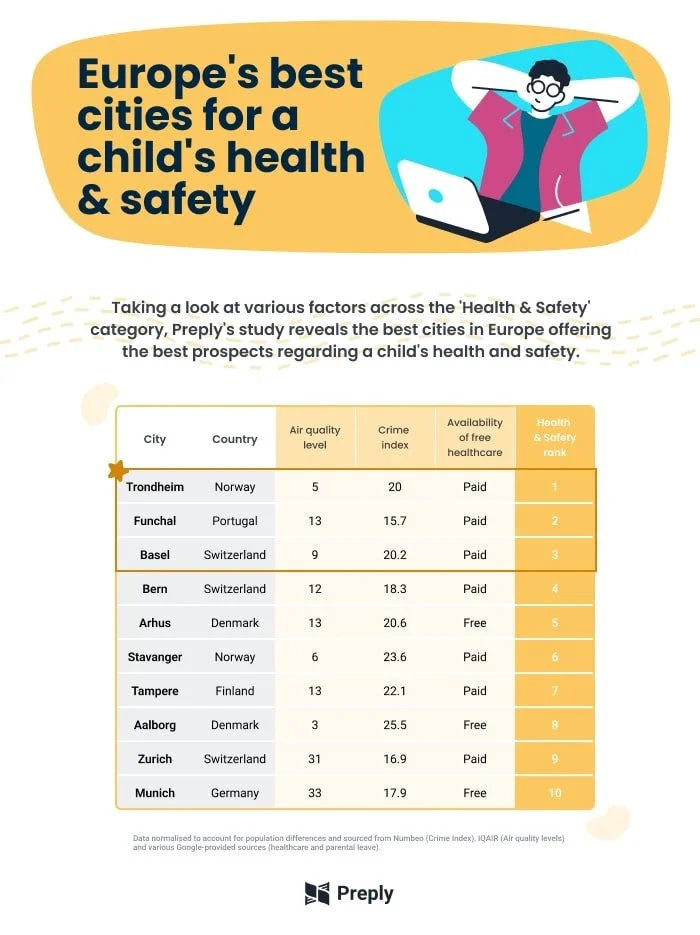
Health & safety 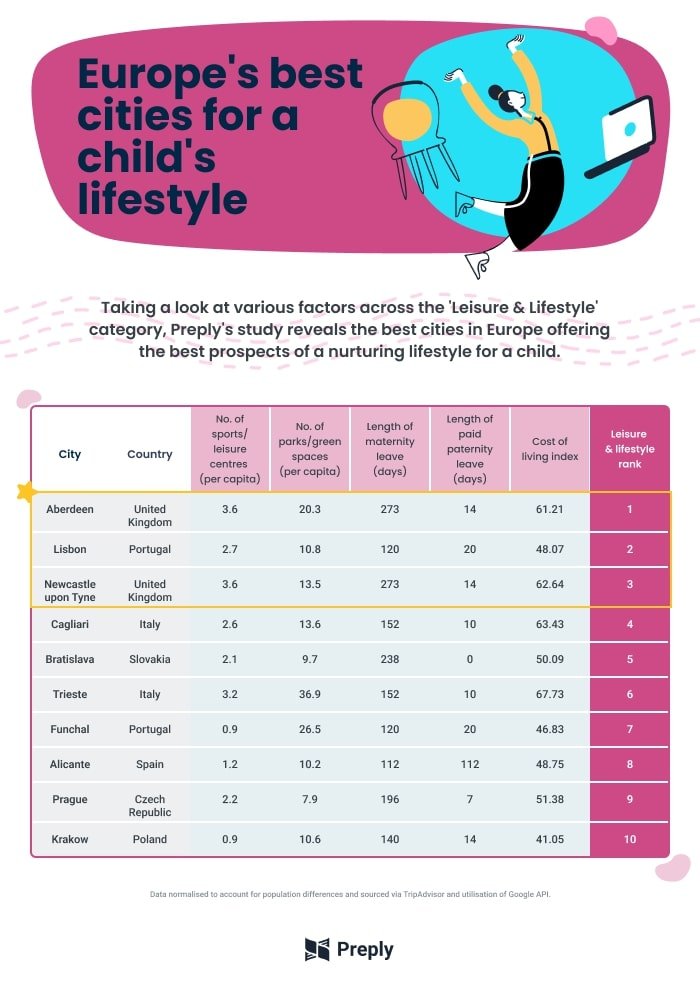
Lifestyle
Live in three languages
Within two weeks the responsive app was designed, coded and ready to deploy.
It works in the browser on phones, tablets, laptops and desktops. The same post was then translated into German and Polish and published on those versions of Preply.
- Speed
Coded and ready to deploy in 2 weeks
- Reach
Mobile, tablet, laptop and desktop
- Markets
Published in English, German and Polish
What I took away
Interaction beats a wall of text
The same data became far more engaging once readers could explore it themselves.
Design inside the system
Using existing brand components made wireframes and prototype one step, not two.
Let the data frame the problem
The client’s visitor data meant we could skip guesswork and define the problem quickly.
Preply - Europe’s top cities for raising a family
Work for Type A Media
UI/UX Design
⏲️ Duration
6 weeks
Focus on UI/UX Design
Responsive App
👨💻 Role
UI Design
Styleguide Design
📝 Methods
Usability Testing
Competitive Analysis
Research
UI Design
🧰 Tools
Figma
Illustrator
📦 The Product
A responsive app for a blog post of a learning platform called Preply with the goal of informing people where is the best city to live in Europe in regards to 3 parameters.
🎯 The Goal
Getting people’s attention and getting more clicks throughout multiple blogs and posts in order to get more people into using the platform and give the users good information.
🗠 Method
We used the double diamond method in collaboration with the client who had most of the data from the users and visitors on their platform. So we mostly enter phase 2 of the project where we helped with what the client might have wanted and to help define their problems in content and what was most used by users and visitors alike.
🚩 THE PROBLEM
We got to the conclusion that most clickable content on the internet is presented in a way that is always flat and in text or infographics. The user rarely interacts with the content of that page or stays there to explore more of the content of the website.
We tried to deliver the same blog posts with more interactive aspects and information.
✏️ IDEATION/UI DESIGN
In order to generate ideas for this project, I first used the Crazy Eights method to see what I could glean from various "crazy thoughts." I quickly got to the conclusion that an interactive map with the best solution for this project.
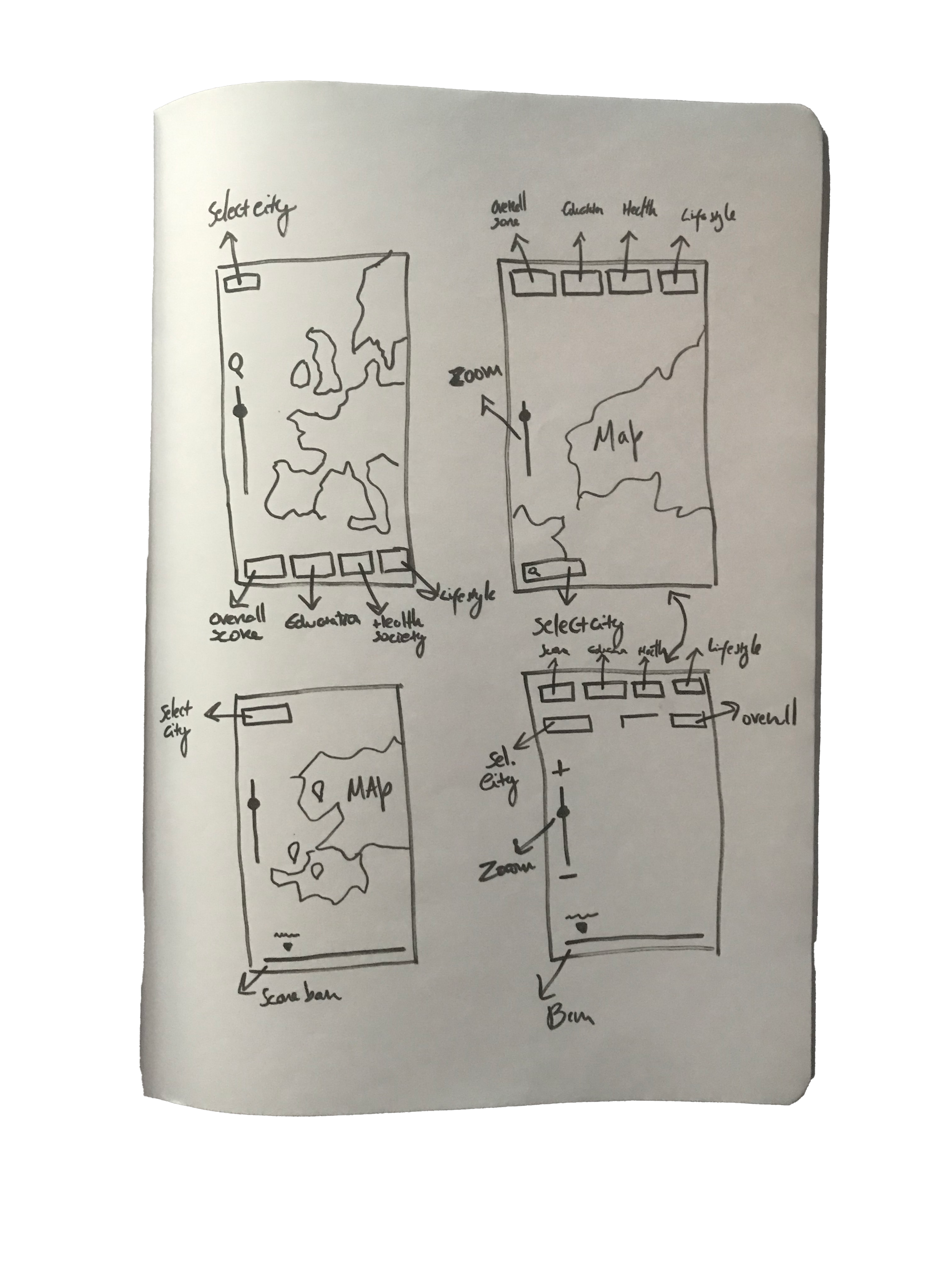
We started using a simple wireframe for the map and see how users could interact with it.
The client wanted this to be an app that would work seamlessly on both mobile devices and desktop environments.
We started by doing the wireframes with the brand guidelines of the client, as most of the buttons and stuff were already done and ready to iterate in prototypes. So we took an approach of prototyping and wireframing at the same time, as the client wanted this done asap. The “wireframe prototype” we ended up with would be nearly the final product.
We began developing the screens in Figma after the first round of sketches was completed.
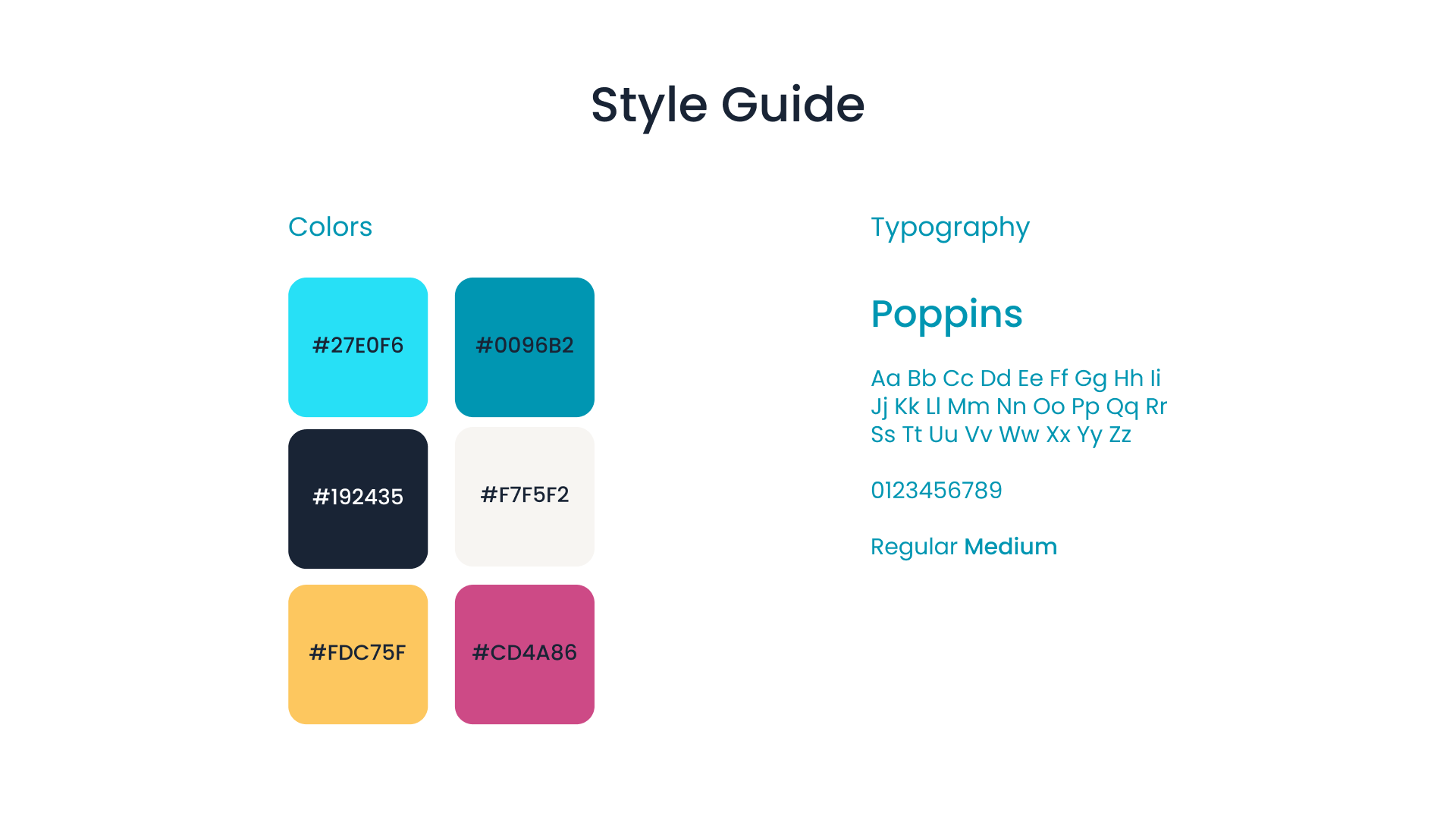
All the colours and clean layouts were already designed by the client.
We mostly adhere to three aesthetic trends: visual prominence, elegance, and cleanliness while implementing the brand guidelines and visual style already done.
This app was made for web browsers across a variety of platforms such as tablets, mobile phones, PC desktops and laptops
🚀 Deployment
Within the next 2 weeks the responsive app was done and coded and ready to be deployed.
The client also wanted the content to have 3 infographics to go with it so we could more attention and have a summary of some of the categories of it. You can see the result of it below:
In the end, the same post got translated to 2 other languages, German and Polish and where posted in those different versions of the platform. I will link the final result below so you can access it and see how everything works.
Europe’s Best Cities To Raise A Family (preply.com)
