
Q-Jump
A fashion collection.
A game worth playing.
Via Finer Vision London
The product
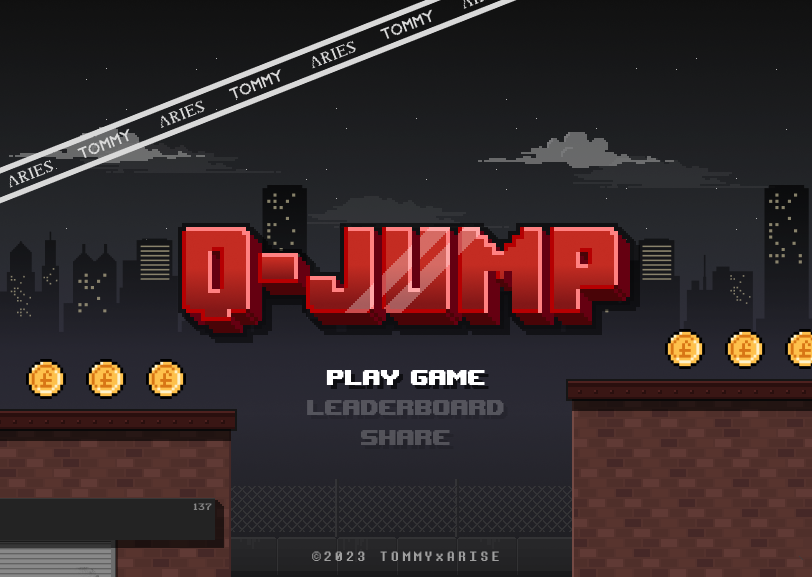
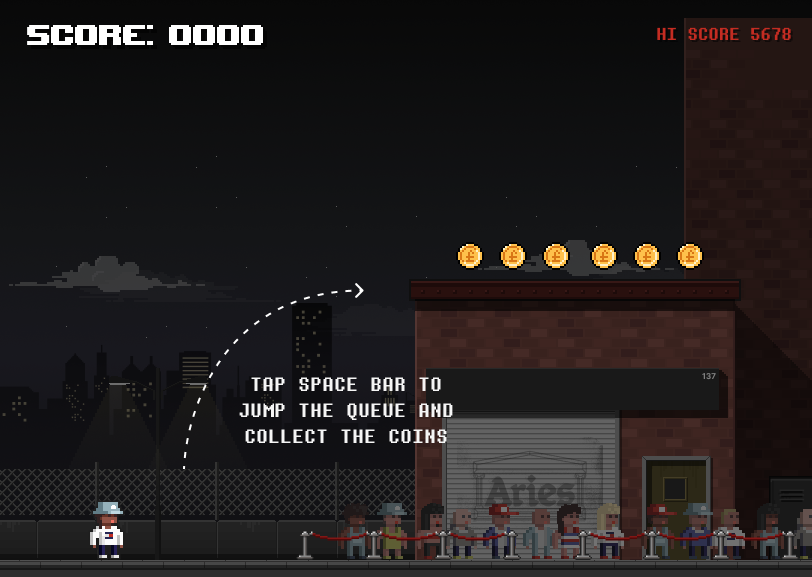
A small promotional game inspired by 90s console classics like Super Mario. Top scores earned a place on the leaderboard and an entry into a raffle.
The goal
Promote the Tommy Hilfiger collection with something genuinely fun, so players stay long enough to get curious about the clothes.
The problem
We considered several platforms, even a native app, but the project arrived at very short notice. We needed one format that would reach everyone, fast.
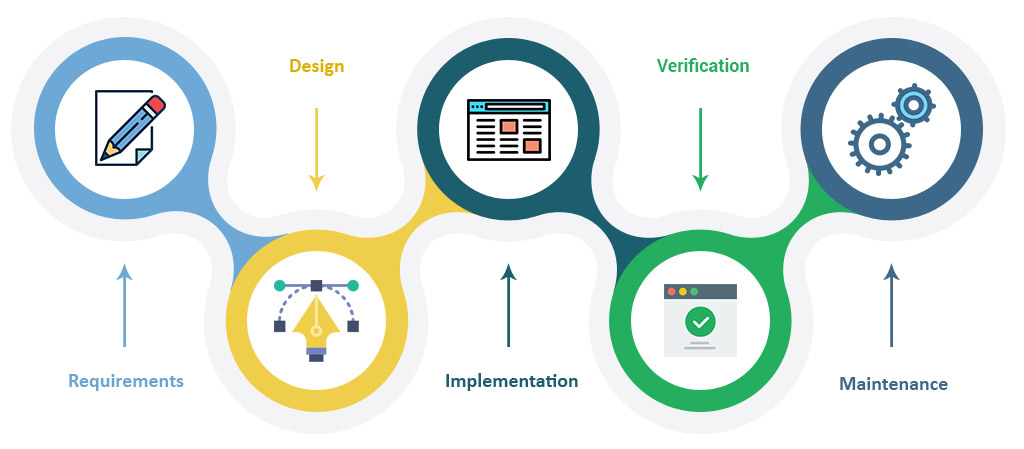
ConstraintNo time for user research, so we worked in a waterfall process: client interviews, design, demos, verification, then a private release where the client’s team played and reported bugs.
A game, not an ad
We started by interviewing the client about their vision and what the campaign had to achieve.
Then we explored a few ideas, agreed on a direction together and moved quickly into playable demos. The client already had a rough sketch of the user flow, which gave us a head start.
Wireframing and prototyping at once
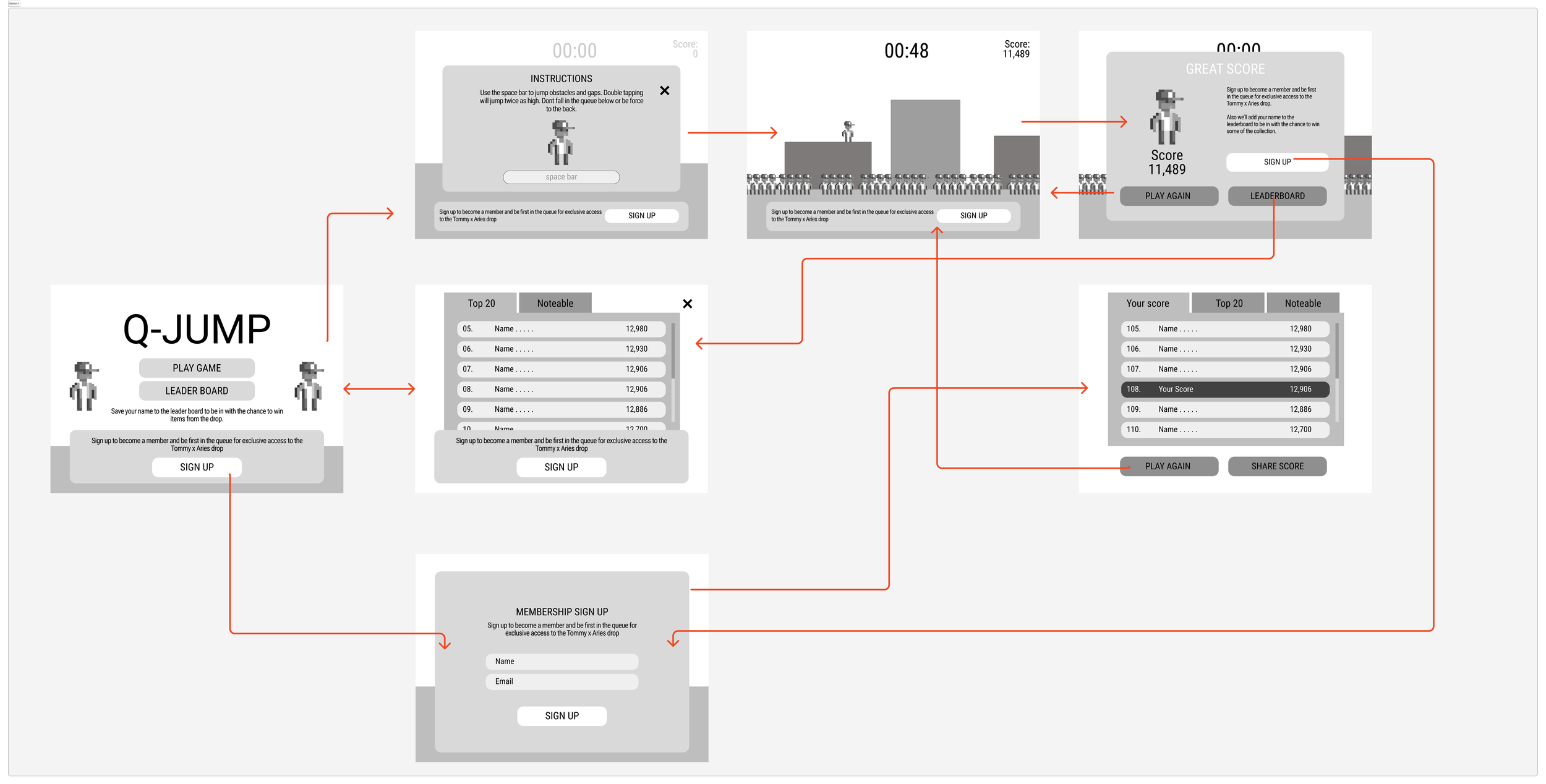
I turned the client’s sketch into wireframes, then showed them lightly styled before we went further.
Because the deadline was tight, I wireframed directly with the brand guidelines and prototyped at the same time. The “wireframe prototype” we ended up with was nearly the final product.
Pixel art with a premium finish
The client had already chosen the colours. They wanted three things: pixel art, elegance and cleanliness.
Once the first round of UI and game assets was ready, I built the screens in Figma. The pixel sprites were drawn in Aseprite, including pieces inspired by the collection.
- Title screen
- Instructions
- Gameplay
- Game over
- Leaderboard
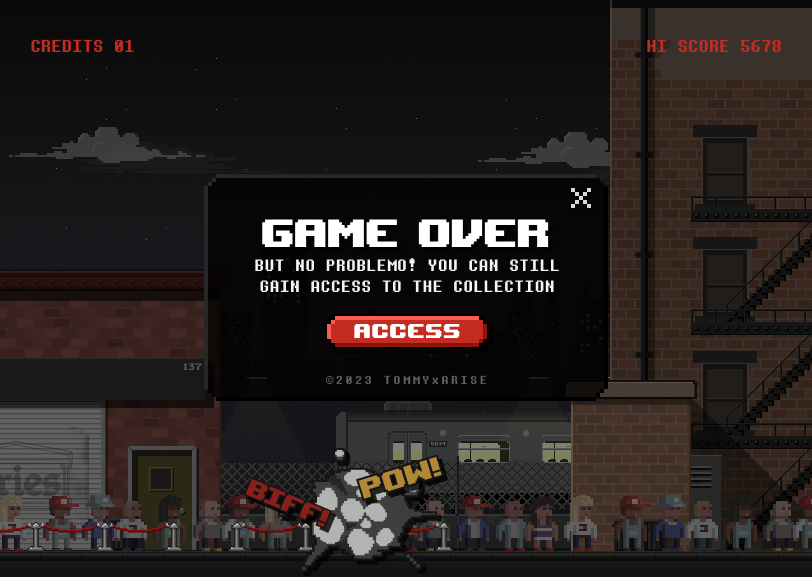
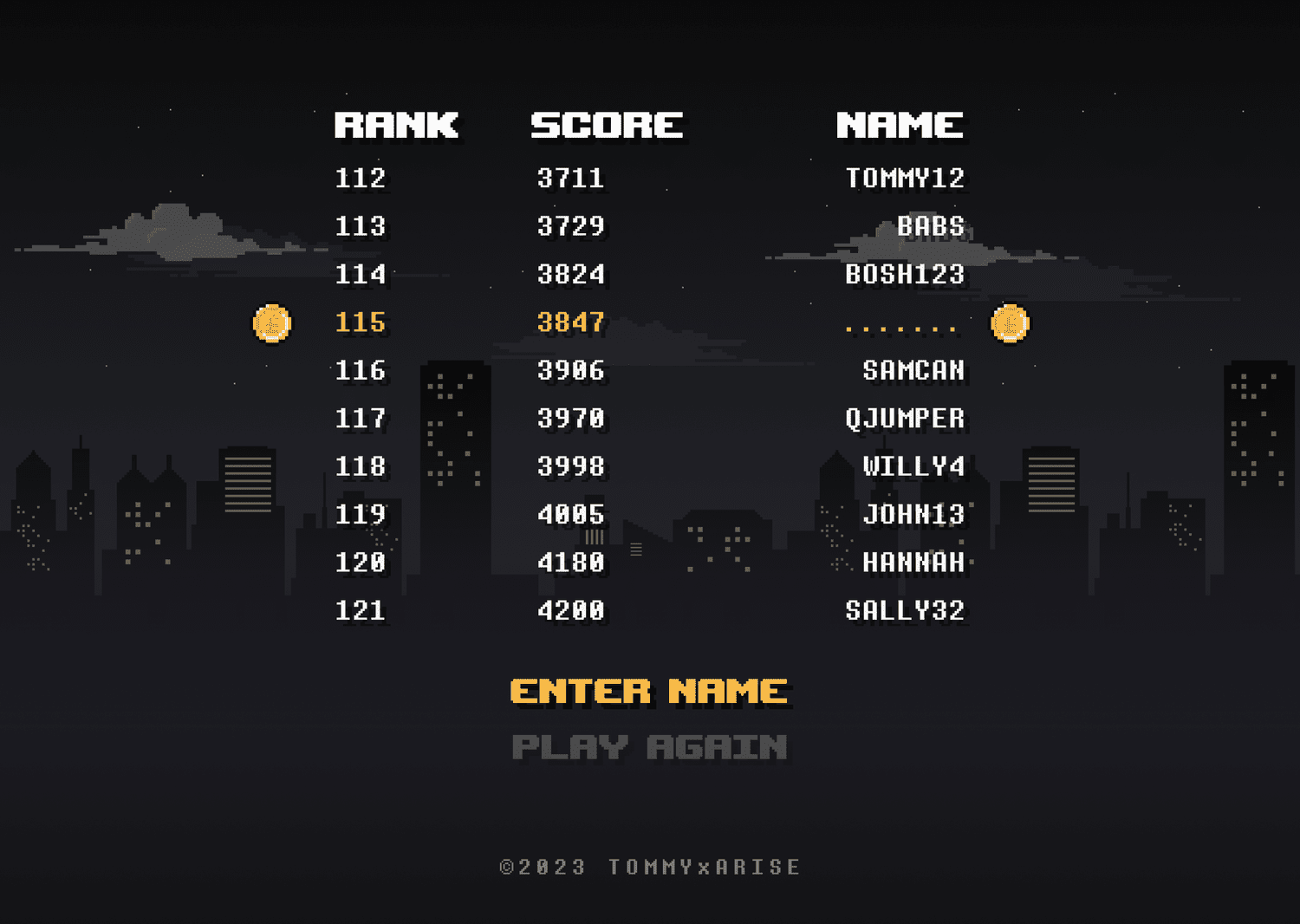
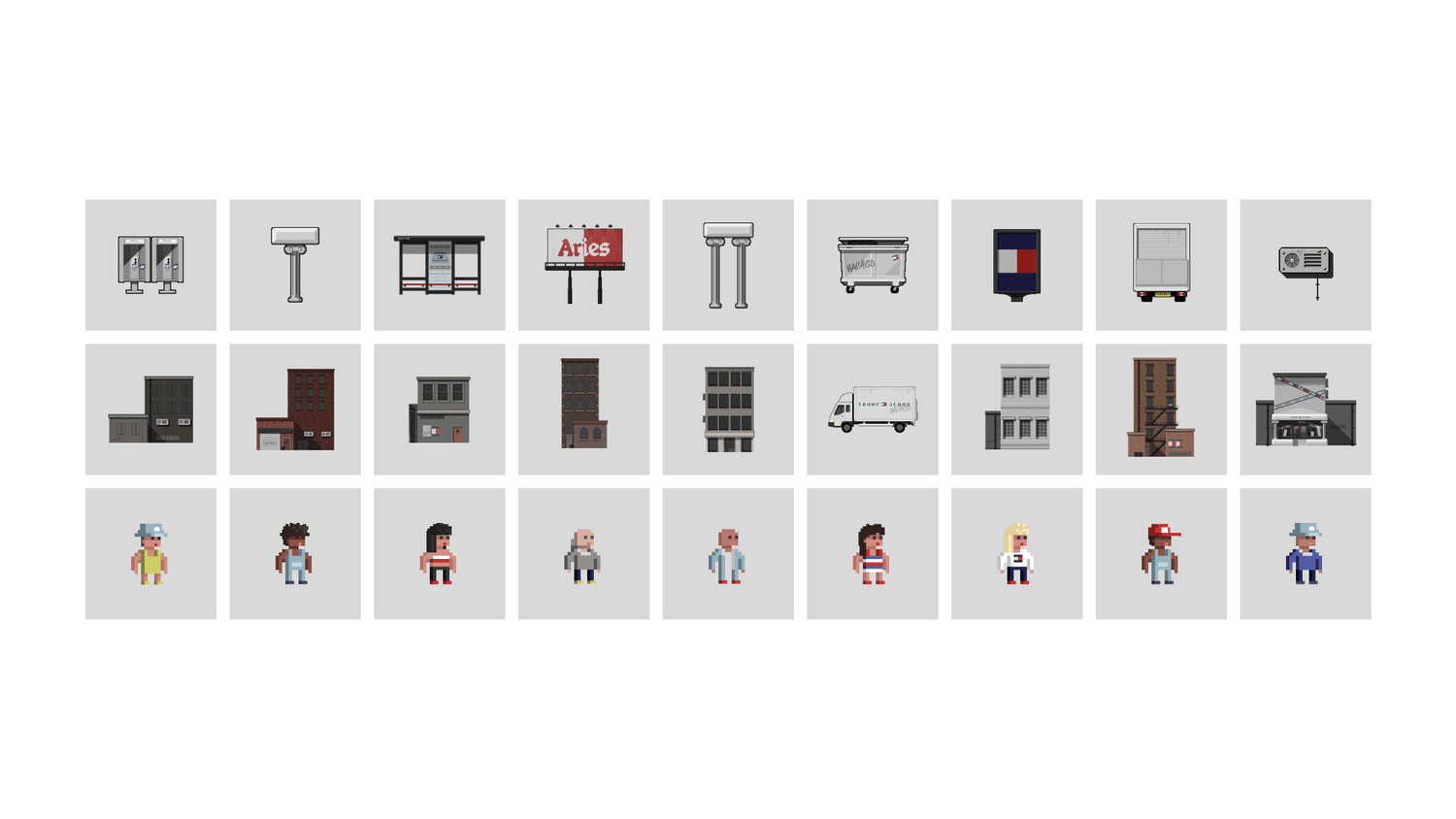
One game, every screen
Instead of an app, we shipped a responsive web game that runs in the browser on Android, iOS, Mac and Windows.
That decision removed app-store delays and meant anyone who saw the campaign could play straight away, on whatever device they were holding.
- Android
- iOS
- Mac
- Windows
Built in 8 weeks
The game was designed, coded and ready to deploy within 8 weeks.
The client also wanted short videos to share across social media, so we produced short animated clips to go with the launch. Here they are.
Tommy Hilfiger x Aries - Q-Jump Game
Work for Finer Vision London
UX/UI Design
⏲️ Duration
10 weeks
Focus on UI/UX Design
Promotional Game
👨💻 Role
UI Design
UX Design
Motion Design
Animation
📝 Methods
Usability Testing
Competitive Analysis
UX Design
UI Design
🧰 Tools
Figma
Illustrator
Asesprite
After Effects
📦 The Product
A small videogame that would be reminiscing of the 90’s console games like Super Mario and would get players into high score board to get into a ruffle.
🎯 The Goal
Promote the Tommy Hilfiger collection and deliver a product that would deliver entertainment and would get people interested into know the collection.
🗠 Method
With this client, we couldn’t do much user research unfortunately so we adopted the waterfall model in which initially we interviewed the client and their vision and needs then we started the design phase in which ideated a few ideas and showed them and got into a conclusion on how it would look and started to implement into demos, after that we verified all the materials done in terms of UI, motion design and animation and implemented into the game barebones, and after that, we got into the maintenance phase in which we released the game privately and the client and their employees would play and report bugs till is a full release.

🚩 THE PROBLEM
We thought of having the game on a few platforms, mainly mobile, and even making an app, but the project got to us with very short notice, so we had to jump to a conclusion, in the end, the game worked as a responsive app in various browsers and you could play it on Android, iOS, Mac and Windows which was great.
✏️ Ideation & UI Design
In order to generate ideas for this project, the client got a rough sketch of the user flow and how it would work I just had to do the wireframes and later show it to them more or less stylized before we could advance more.
We started using a simple wireframe for the game and see how the client could interact with it.
The client wanted this to be an app that would work seamlessly on both mobile devices and desktop environments.
We started by doing the wireframes with the brand guidelines of the client, we took an approach of prototyping and wireframing at the same time, as the client wanted this done asap. The “wireframe prototype” we ended up with would be nearly the final product.
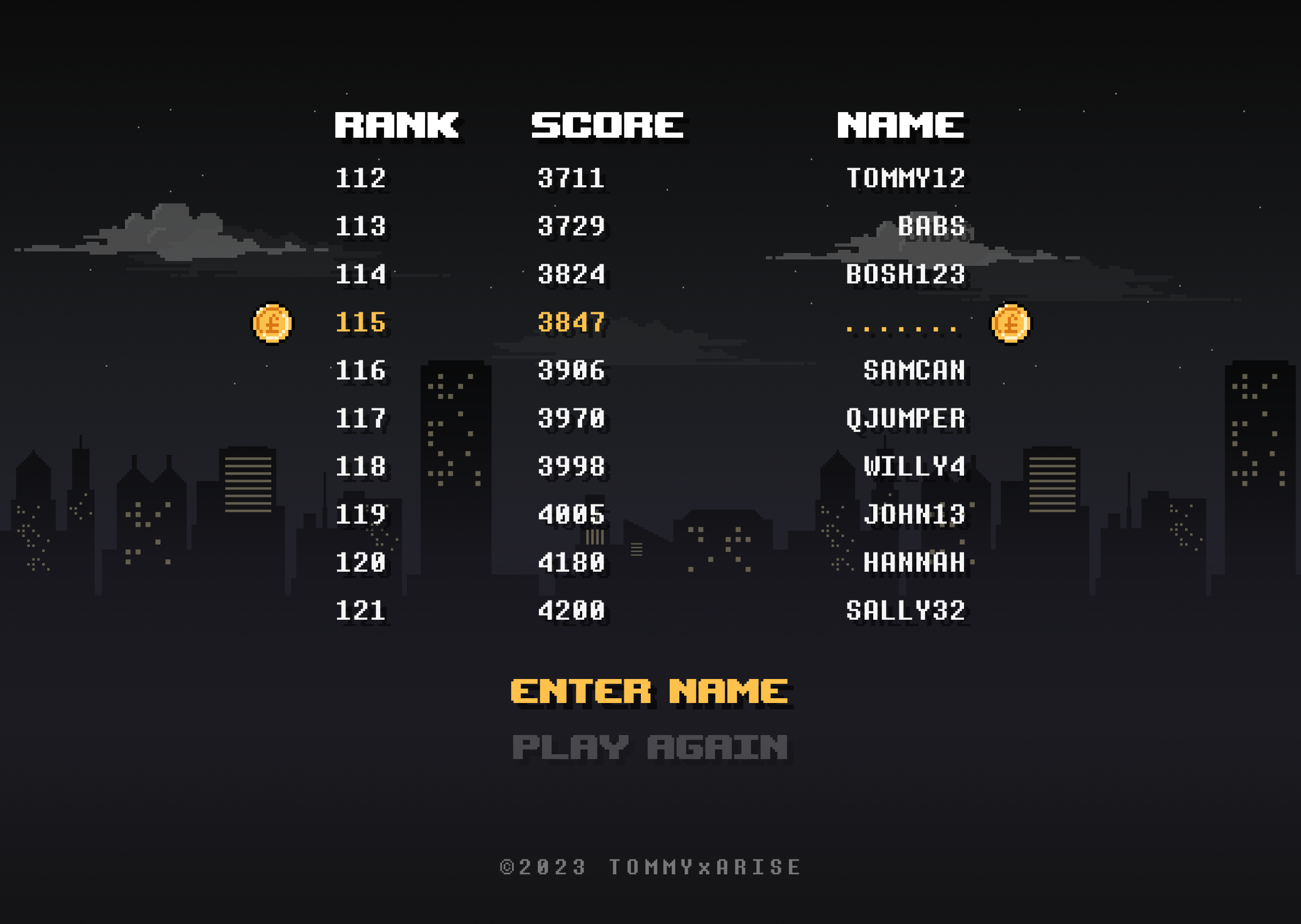
We began developing the screens in Figma after the first round of UI assets and game assets were completed.
All the colours were already picked by the client.
We mostly adhere to three aesthetic requests: pixelated art, elegance, and
cleanliness while implementing the brand guidelines and visual style requested by the client.
This game was made for web browsers across a variety of platforms such as Android, iOS, Mac and Windows.
🚀 Deployment
Within the next 8 weeks, the game was designed and coded and ready to be deployed.
The client also wanted the content to have some videos to go with it so we could more attention
and have a be shared across social media. You can see the result of it below:
In the end, the game got released in over to 2 other languages, German and French
and were posted in those different versions of the website.
- Speed
Designed and coded in 8 weeks
- Reach
Playable on Android, iOS, Mac and Windows
- Markets
Released in English, German and French
What I took away
Retro can be premium
Pairing pixel art with clean, elegant layouts kept a playful game on-brand for a fashion label.
Prototype as you wireframe
On a tight deadline, wireframing in the brand style saved a whole round of iteration.
The web is the fastest platform
A responsive browser game reached every device without the overhead of an app.